
MLive.com
MLive.comNews & Magazines
3.0871.00 Reviews
- Version
- 4.5.3
- Installs
- 100.00K
- Age Rating
- Teen
Screenshots


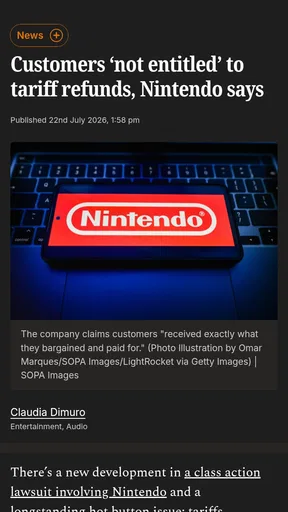

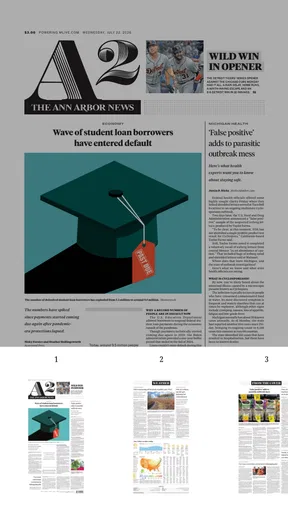
Our Review of MLive.com
 Analysis by Appyee
I tend to reach for a local news app when I want to understand what is happening around Michigan without making a broad web search every time. MLive.com is built around that habit: it brings news, sports, and entertainment coverage into one place, with the strongest reason to use it being its Michigan focus. I see it as a practical companion for keeping up with familiar communities, rather than a replacement for every national or international news source.
What I expect when opening it
For a news app, speed is less about a stopwatch and more about whether I can get from opening the app to a useful story without friction. MLive.com’s topic-based layout, as I experienced it, makes that first step straightforward: I can head toward local reporting or sports instead of scanning an undifferentiated stream. That matters when I have only a few minutes between errands or before work.
The app is free to download, and its publisher is MLive.com. It sits in the news and magazine category, with an average rating of 3.0 from around two thousand ratings and more than one hundred thousand installs. Those figures suggest a real audience, but they also make me cautious about assuming every reader will have the same experience. I would try it for its Michigan coverage and judge the fit on my own device.
The main convenience is not simply having many stories available; it is being able to narrow my attention. Choosing topics that matter to me can make a quick check feel more purposeful. A useful habit is to decide what I actually want from the app—local headlines, a team’s coverage, or a particular kind of story—then use those interests to guide browsing rather than treating every alert or article as equally urgent.
When the news cycle gets busy
The app’s alerts and live coverage are aimed at moments when a story is changing quickly. In everyday use, I would treat notifications as a prompt to check a developing report, not as the whole story. An alert can tell me that something matters; opening the article is where I can get more context and avoid forming an opinion from a short headline alone.
For example, if a local issue is being discussed at home or at work, I can check MLive.com for Michigan-focused reporting, read the fuller account when I have time, and return later if coverage develops. For sports, that same pattern is handy when I cannot watch a game: updates can help me follow the broad progression, while a full report afterward is better for understanding the result and its significance.
There is a trade-off to frequent updates. Alerts are useful when I deliberately want to follow a major story, but a phone that announces every development can become distracting. I would keep notifications for the kinds of news I genuinely need to know promptly and rely on a manual check for the rest. That small choice makes the app feel more like a tool I control than another source demanding attention.
Reading, listening, and joining the conversation
Stories with photos, video, or graphics can be easier to follow than text alone, especially when the subject is unfamiliar or a visual detail adds useful context. I like having those formats available, but I would not assume every article needs them. When I am on a limited connection or simply want a quick update, a text-first story is often the more convenient choice; when I have time, multimedia can make a report more engaging.
Audio and video also suit different routines. A podcast can fit a commute or household task when looking at a screen is inconvenient, while written coverage is easier to skim in a waiting room or revisit later. I would choose the format according to the moment instead of trying to consume every story in every form. That is a more realistic way to use a news app without letting it take over the day.
The comments add a social layer, but they are not a substitute for reporting. I find reader discussion most useful as a way to notice local reactions or questions that a story raises. Because comment threads can become heated, I would read them selectively and keep the article’s reporting separate from opinions posted beneath it. If I want a calm, quick briefing, skipping comments is an easy way to stay focused.
How it fits alongside other news sources
Compared with a broad national news app, MLive.com makes more sense when Michigan is the subject, not a small section in a much larger feed. A general-purpose service may be better for someone who wants a wide mix of national and world headlines in one stream. On the other hand, searching the web for every local question can scatter reading across different sites; a dedicated state-focused app offers a more direct starting point for that routine.
I would use it alongside, rather than instead of, sources that cover subjects beyond its regional focus. If I were following a national policy story, an international event, or a topic requiring several independent viewpoints, I would compare coverage elsewhere too. The strength of a local source is proximity and relevance; the sensible limit is not expecting one regional app to serve as a complete picture of everything happening.
It is particularly suited to Michigan residents, former residents keeping in touch, and readers following local sports or community issues. Someone who wants only a quiet, highly filtered digest may prefer to check headlines manually and leave alerts off. A reader uninterested in Michigan news is also unlikely to get enough value from its main focus to make it a daily destination.
A News Hub at Your Fingertips
First off, let’s talk about the app’s interface. MLive.com has a clean and user-friendly design that makes navigating through the sea of news articles a breeze. The home screen is organized into various sections like sports, politics, and local news, which is perfect for those who like to dive straight into their areas of interest. The app is intuitive, and I found myself quickly jumping between topics without any hassle.
One of the things I love about MLive is the customization options. You can personalize your news feed by selecting your favorite topics. This means no more sifting through irrelevant articles just to find what you really care about. It’s like having a personal news assistant who knows exactly what you want to read.
Real-time Updates and Notifications
In today’s fast-paced world, staying updated in real time is crucial. MLive.com has got this covered with its push notification feature. Whether it’s breaking news or the latest sports scores, you’ll be among the first to know. I appreciated how the notifications were timely but not overwhelming, striking a perfect balance between being informative and unobtrusive.
Moreover, the app provides live coverage of events, which is a fantastic feature for those who can’t be glued to their screens all day. From local elections to sports games, the live updates ensure you don’t miss out on any action.
Multimedia Integration
Who doesn’t love a good visual? MLive.com enhances the reading experience with multimedia integration. Articles come alive with photos, videos, and interactive graphics that provide a richer context to the stories. I found this especially useful for understanding complex news topics, as the visuals help break down information in an engaging way.
Plus, for those who are always on the go, the app’s podcasts and video content are a great way to consume news while multitasking. I often listened to their podcasts during my morning commute, which made the daily grind a little more bearable.
Community and Engagement
One of the standout features of MLive is its community engagement. The app allows users to comment on articles and engage in discussions with fellow readers. This interactive element makes the app feel more like a community space rather than just a one-way news source. I enjoyed reading different perspectives and even chimed in a few times myself!
However, it’s worth mentioning that, like any online platform, the comment sections can sometimes get heated. But hey, that’s just part of the dynamic world of online discussions!
Accessibility and Performance
MLive.com performs smoothly on both Android and iOS, and I didn’t encounter any significant bugs or crashes during my time using it. The app loads quickly, and articles are easy to read with adjustable font sizes, which is a big plus for accessibility.
Speaking of accessibility, the app also offers a night mode, which is perfect for late-night reading without straining your eyes. Trust me, your eyes will thank you!
Device fit and practical limits
The Android release is listed for devices running version 8.0 or later, so I would check that requirement before trying to install it on an older phone. The app is rated Teen, a useful detail for families deciding whether it suits a shared device. Its current version is 4.5.2.2; as with any app, keeping the installed version current is a sensible first step if something feels slow or behaves unexpectedly.
News apps can feel heavier when a session includes image-rich stories, video, live updates, and repeated returns to the home screen. I would not assume MLive.com uses a particular amount of storage, battery, or mobile data, but I would make practical choices: save video viewing for a reliable connection, avoid leaving a long stream of updates open when I only need one headline, and close out of a session once I am done. Those habits help keep a news check brief on a busy phone.
If an article takes longer to appear, I would first distinguish an app problem from a weak connection or a story that relies on richer media. Returning to the section list and opening a text-focused report is a quick way to keep reading while avoiding unnecessary waits. If the whole app repeatedly fails to load, restarting it and checking that the device meets the minimum system requirement are reasonable first checks; I would not treat one slow session as proof of a persistent reliability issue.
There are also times when the app is not the best way to get information. If I need a quick fact while my connection is unreliable, I may prefer a source or format I already know will load in that moment. If I need deep background on a complicated issue, I would set aside time to compare full reports rather than relying on alerts or a live feed. MLive.com is strongest as a convenient route into Michigan coverage, not as a shortcut around careful reading.
Cost, subscriptions, and choosing what to follow
The app itself is free, though in-app purchases are listed in a range from $7.99 to $100.00 per item. That means I would check the purchase screen carefully before confirming anything and decide whether the free experience already meets my needs. I would not assume that every story requires payment, nor would I assume that every available feature is included at no cost; the practical move is to review the terms shown in the app at the point of purchase.
For someone new to it, I would begin with a small set of interests rather than selecting every topic. That makes the home screen easier to scan and gives notifications a clearer purpose. After a few days, I would adjust the selection based on what I actually open: keeping a section because it sounds important is less useful than following the subjects that genuinely help me understand my community.
Reliability and the performance verdict
My experience with the app was smooth, with no significant crashes or bugs during the time I used it. That is reassuring for quick check-ins, although reliability in a news app also depends on how well the experience holds up when I move between sections, open media, and revisit a developing story. I would judge it over ordinary use rather than expect a guarantee that every article will load instantly on every device and connection.
MLive.com has been available since February 19, 2011, and its long-running presence gives it a clear identity as a Michigan news destination. Still, the average rating of 3.0 is a reminder that readers’ experiences vary. I would weigh that alongside the app’s local usefulness, rather than treating either the rating or the favorable parts of my own experience as the whole story.
My practical verdict is that this app is worth trying if Michigan news, local sports, or regional conversation is part of your routine. It gives me several ways to keep up—browsing, alerts, multimedia, and reader discussion—without requiring me to treat all of them as essential. I would skip it if I wanted a purely national briefing or a highly minimal reader with no interest in local coverage. For everyone else, a focused topic selection and restrained notifications are the best way to make it useful without making it noisy.
Verdict
Strengths of MLive.com
- User-friendly interface for easy navigation.
- Real-time news updates keep you informed.
- Customizable alerts for specific topics.
- Access to local and national news coverage.
- Integration with social media for sharing.
Limitations of MLive.com
- Occasional ad interruptions during use.
- Some features require a subscription.
- Limited offline content availability.
- App performance can be slow at times.
- Notification settings need improvement.
Similar Picks in This Category
View All
Google News - Daily Headlines
Google LLC4.0

X
X Corp.4.8

Flipboard:Your Social Magazine
Flipboard3.4

Opera News: breaking & local
Opera4.5

Hindi News by Dainik Bhaskar
Dainik Bhaskar Group4.0

Way2News Daily News App
Way2News ( Formerly Way2SMS )4.6
Frequently Asked Questions
What features does the MLive.com app offer?
The MLive.com app provides users with up-to-date news, sports scores, weather updates, and live streaming of local events. It also offers personalized notifications to keep you informed about the topics you care about. The app's interface is user-friendly, making it easy to navigate through various sections such as news, sports, and entertainment.
Is the MLive.com app free to use?
Yes, the MLive.com app is free to download and use. However, it may offer in-app purchases or subscriptions for premium content or ad-free experiences. Make sure to check the app's settings or the app store for specific details about any potential charges that may apply.
What devices are compatible with the MLive.com app?
The MLive.com app is available for both Android and iOS devices. It requires a minimum operating system version, which might vary depending on updates. It's recommended to use the latest version of your OS for the best performance and access to all features. Check the app store for specific compatibility details.
How can I customize notifications in the MLive.com app?
To customize notifications, go to the app’s settings and select the notification preferences. You can choose to receive alerts for specific topics like sports, politics, or local news. This feature allows you to stay updated on the information that matters most to you without being overwhelmed by unnecessary alerts.
Is my personal data safe with the MLive.com app?
The MLive.com app is committed to protecting user privacy and data security. It uses encryption protocols to safeguard your personal information. However, it’s always good practice to review the app’s privacy policy and understand what data is collected and how it is used to ensure you are comfortable with their practices.
